Bring in your files
Import documents, PDFs, images, and audio without sending the originals to a service.
OmniPrism Studio
OmniPrism Studio is a local-first desktop library for searching across documents, scans, and recordings while keeping your processing and source data on your device.
Product screenshots
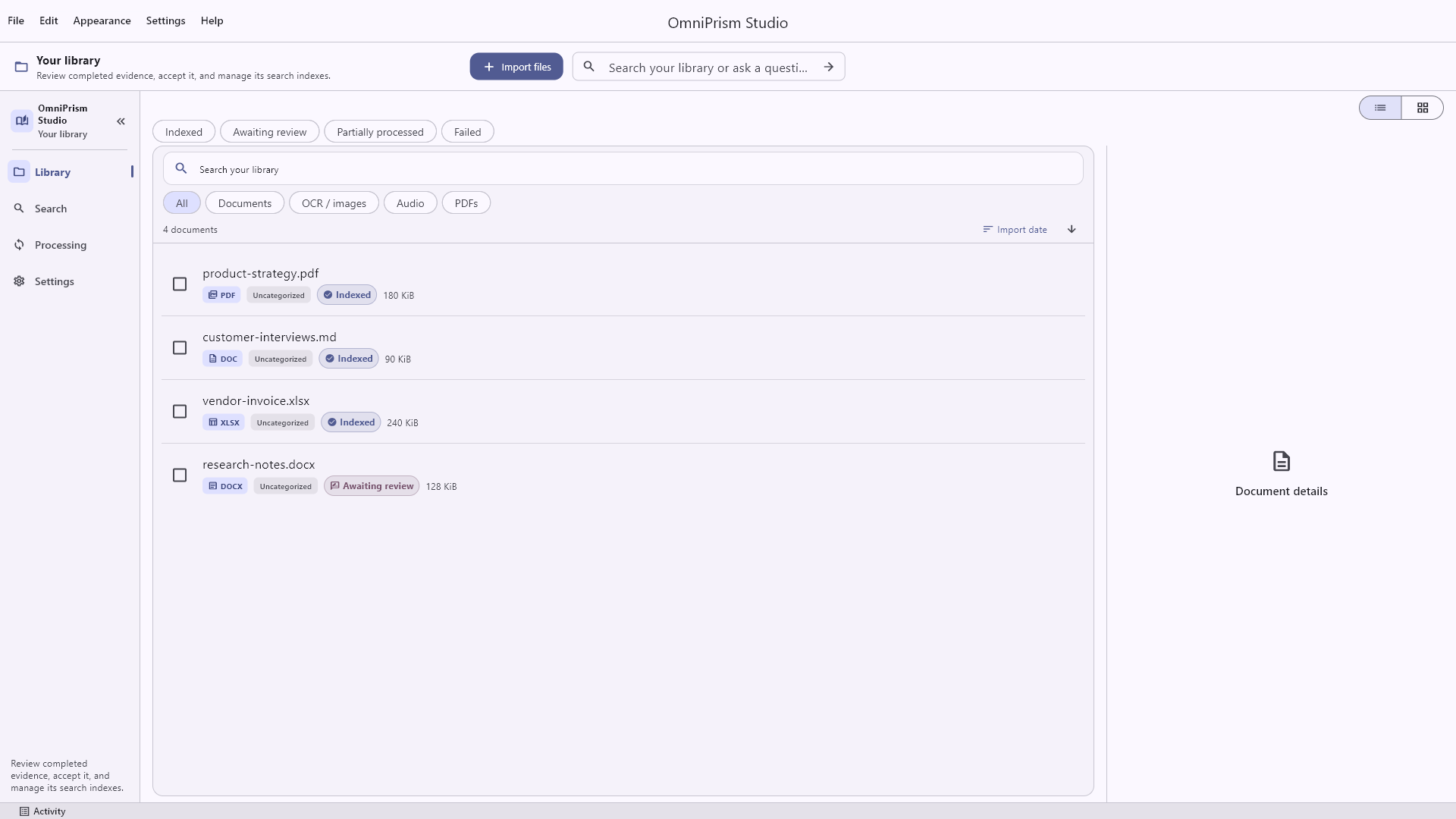
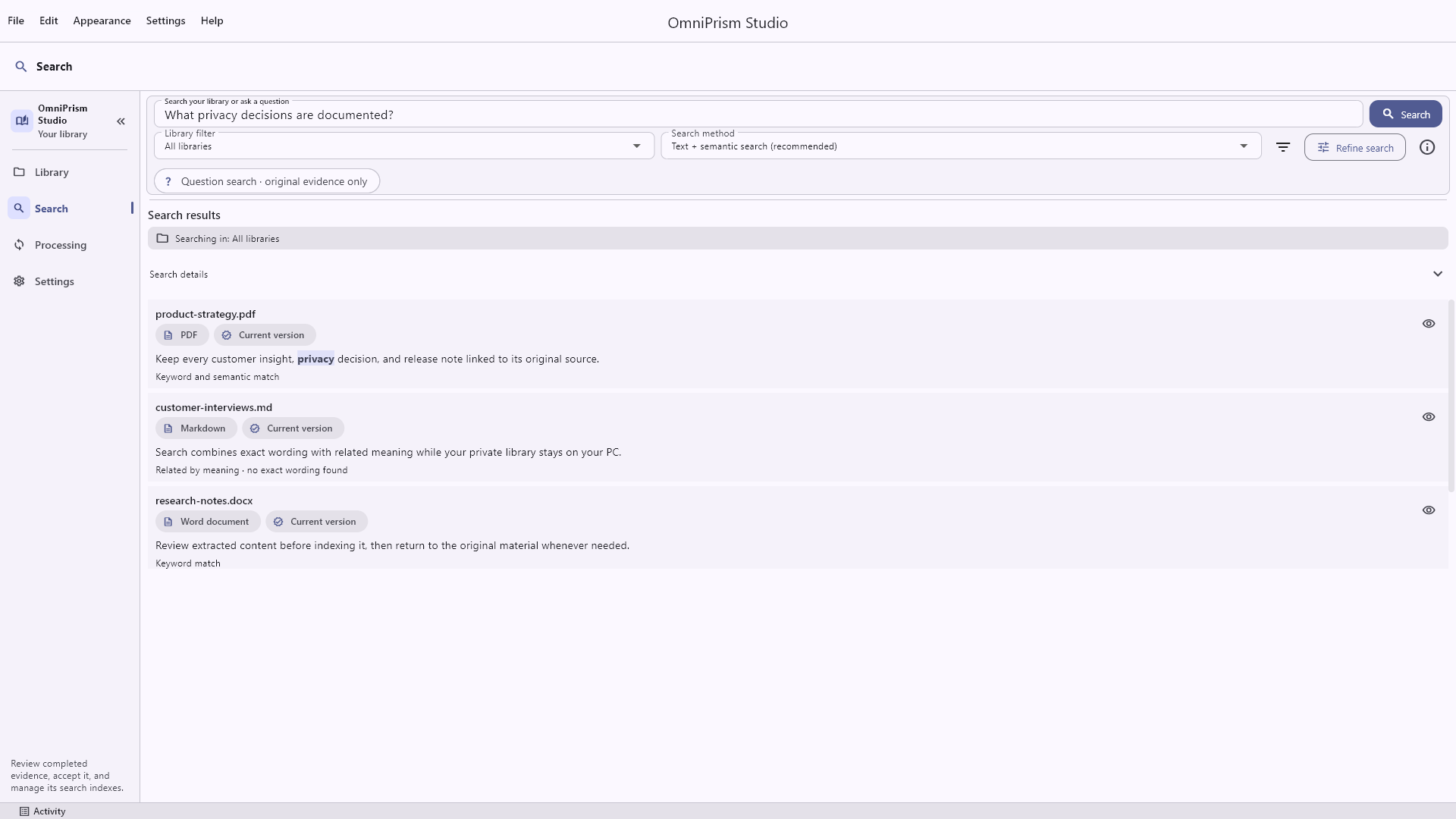
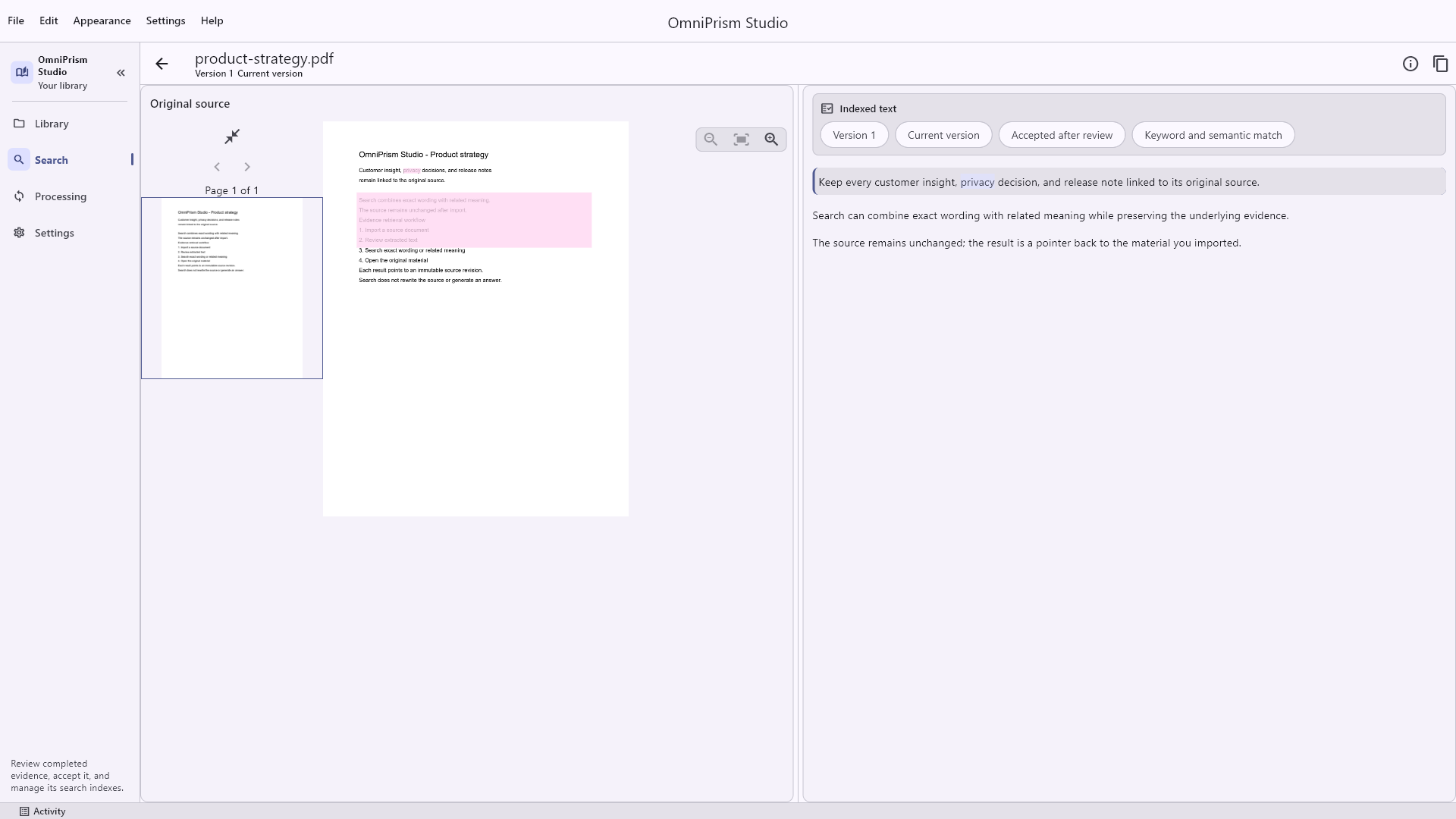
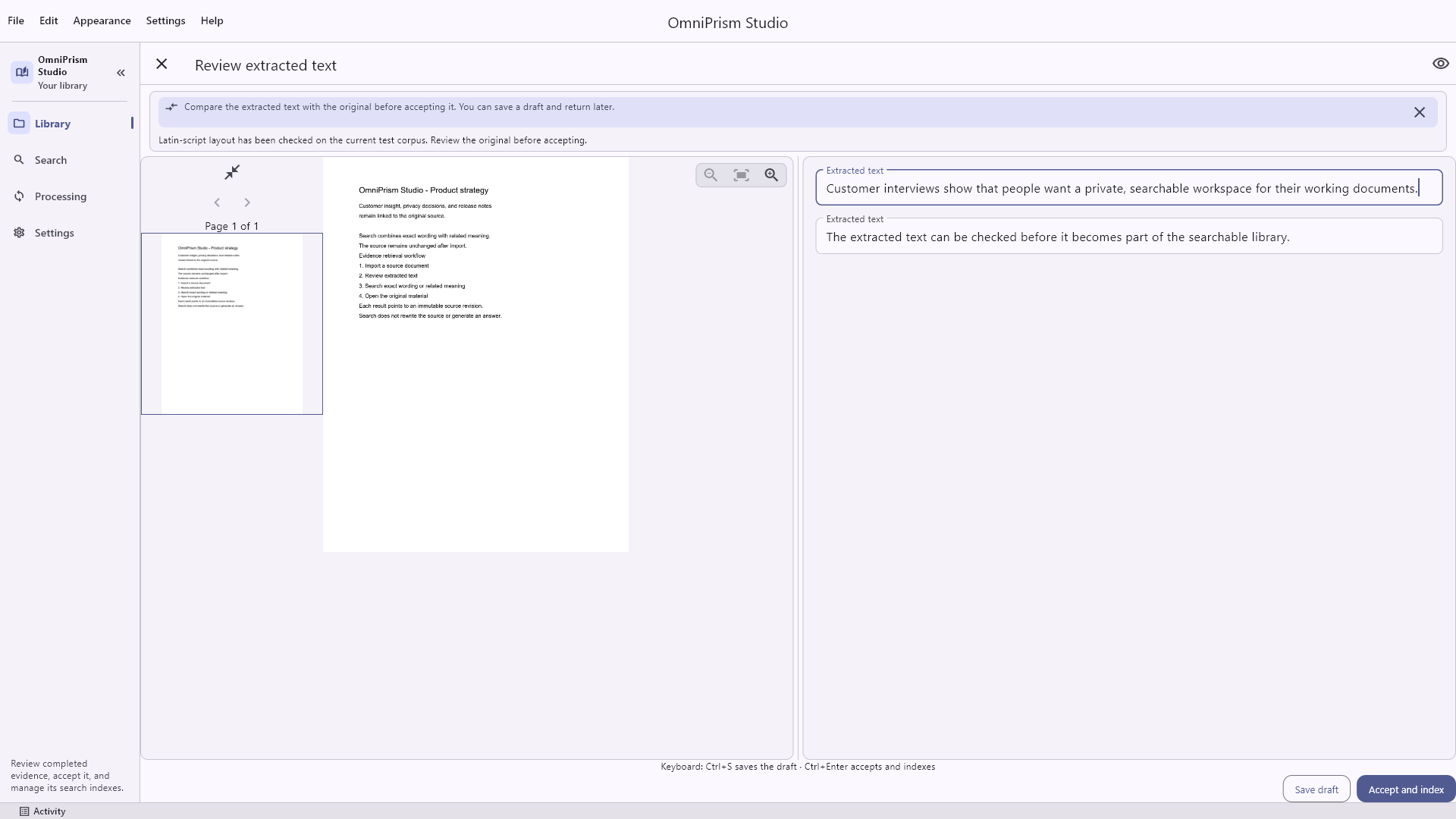
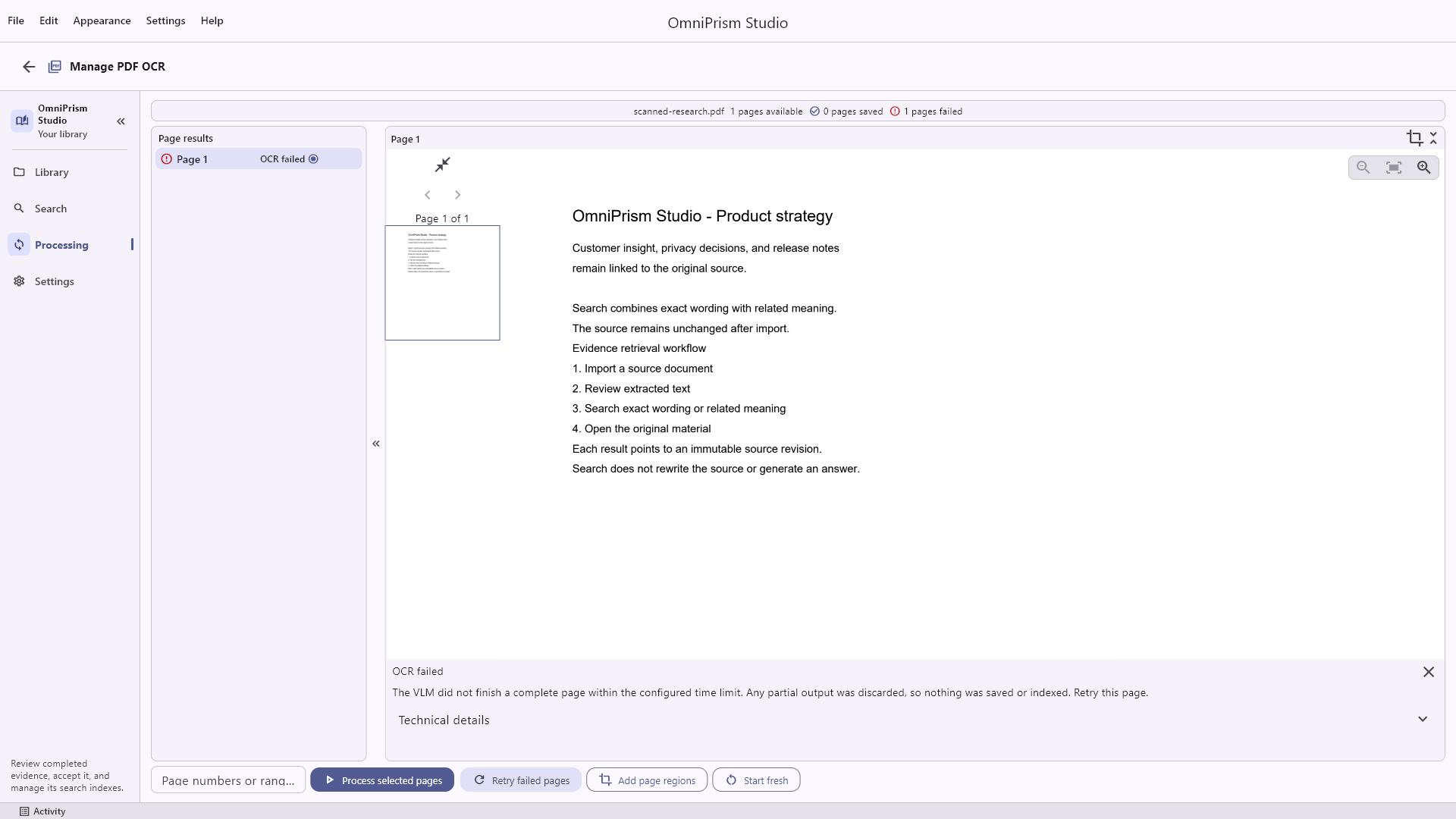
These authentic Windows release captures show the core path from a private library to searchable, reviewable evidence.
A different kind of search
OmniPrism Studio helps you find relevant passages, pages, and moments. It keeps the original source, timestamps, and review trail attached so the result remains something you can inspect—not an answer you have to take on faith.
How it works
One desktop workflow for the material that normally gets scattered across folders, apps, and recordings.
Import documents, PDFs, images, and audio without sending the originals to a service.
OCR, transcription, and semantic indexing run on your device using the processing profile you choose.
Combine exact terms with meaning-based retrieval, with optional refinement when accuracy matters most.
Open the original context, verify the passage, and keep accepted evidence immutable and traceable.
Built for real collections
Start with the files on your computer. Add structure only where it helps you find and verify the underlying material.
Plain text, Markdown, HTML, and PDF content stay connected to the source document.
Extract text from visual documents while retaining page context and normalized evidence anchors.
Import WAV, MP3, and FLAC files with timestamped transcription evidence and original audio preserved.
Export your accepted library and restore it later without depending on a remote account or service.
Language support
The OmniPrism Studio interface is available in 19 languages. Your documents do not need to match the language you choose for the app.
Choose any of these languages in Settings. Names are shown in their native form.
OCR, audio transcription, and semantic search rely on installed processing models. Those models support many languages beyond the interface, so you can work with multilingual collections while keeping the UI in the language you prefer.
Coverage varies by model, file type, and installed resources.
Your data stays yours
OmniPrism Studio is designed around local processing, user-controlled storage, and evidence you can inspect. Your library is not uploaded for search, while Store activity, model downloads, and support messages follow their own network paths.
Read YYamin's principlesProcessing is performed locally on the desktop.
Your accepted library is not trapped in the app.
Search surfaces source material instead of generating a replacement answer.
Availability
The Windows release is live on Microsoft Store. Download the app for a local trial; the one-time lifetime processing unlock is purchased and restored through Microsoft Store. macOS is planned for a later phase.
Store listing ID: 9N5RC1RBX2ZF